

Código fuente / Templates
Lienzo Abierto: una galería de imágenes para aprender, adaptar y hacer tuya
Una galería de imágenes con búsqueda, favoritos e importación local. Código abierto, ilustraciones de ejemplo y un recorrido para adaptarla.
Aprende a crear una API REST en .NET para generar Excel (.xlsx) con EPPlus, arquitectura limpia, pruebas curl y ejemplo completo en GitHub.
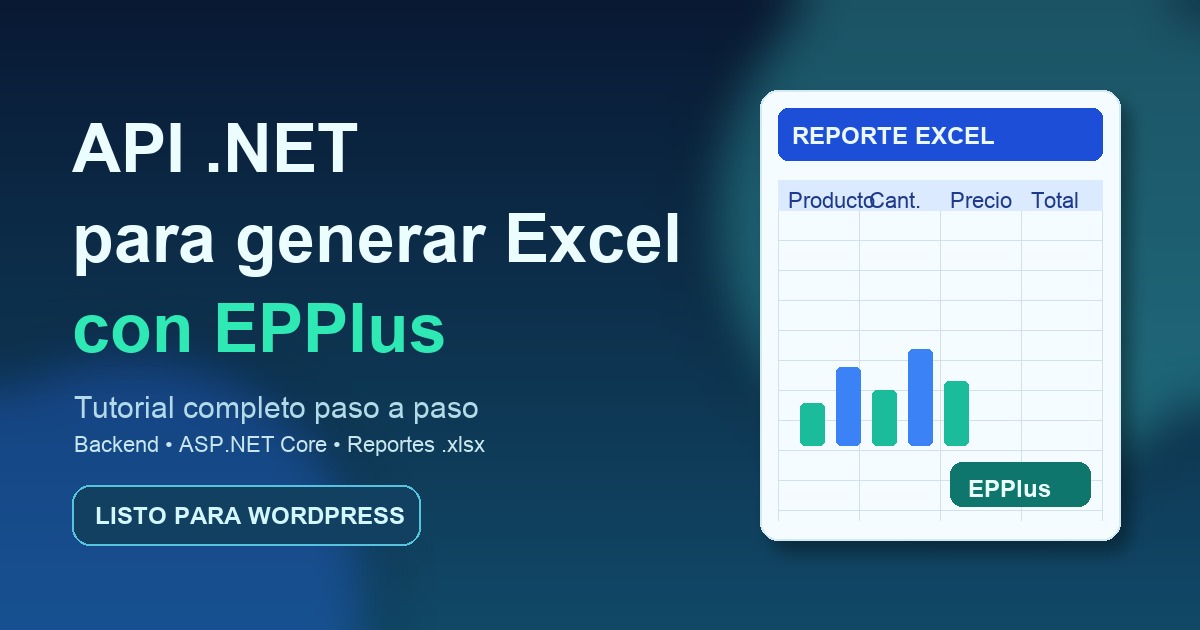
Generar archivos Excel desde backend sigue siendo un caso muy habitual en aplicaciones empresariales: reportes de facturación, listados, exportaciones para administración, conciliaciones, etc.
En este tutorial vas a construir una API REST en .NET que genera archivos .xlsx con EPPlus, usando una estructura sencilla y mantenible.
Actualizado: 20 de febrero de 2026.
Al terminar tendrás:
POST para generar reportes Excel.IExcelService) que encapsula toda la lógica de EPPlus.data:application/vnd.openxmlformats-officedocument.spreadsheetml.sheet;base64,...) listo para frontend.Si prefieres partir de una implementación ya hecha, aquí tienes el repositorio:
https://github.com/davidcantonnadales/excel-net-api-demo
net9.0).curl o Postman para probar endpoints.Antes de escribir código, este punto es crítico:
EPPlus 6.2.4, por lo que este aviso aplica totalmente.Resumen práctico:
Nota de versión:
EPPlus 6.2.4 se usa ExcelPackage.LicenseContext.Más abajo te dejo fuentes oficiales para validarlo.
mkdir ExcelApiDemo
cd ExcelApiDemo
dotnet new sln -n ExcelApiDemo
dotnet new webapi -n ExcelApiDemo.Api
dotnet sln add ExcelApiDemo.Api/ExcelApiDemo.Api.csprojcd ExcelApiDemo.Api
dotnet add package EPPlus --version 6.2.4
dotnet add package Newtonsoft.Json --version 13.0.3
dotnet add package Swashbuckle.AspNetCore --version 9.0.3Si quieres validar el .csproj, debería verse parecido a esto:
<ItemGroup>
  <PackageReference Include="EPPlus" Version="6.2.4" />
  <PackageReference Include="Newtonsoft.Json" Version="13.0.3" />
  <PackageReference Include="Swashbuckle.AspNetCore" Version="9.0.3" />
</ItemGroup>Crea un archivo Domain/Reports/ExcelReportRequest.cs:
using Newtonsoft.Json;

namespace ExcelApiDemo.Api.Domain.Reports;

public class ReportItem
{
    [JsonProperty("name")]
    public string? Name { get; set; }

    [JsonProperty("quantity")]
    public int Quantity { get; set; }

    [JsonProperty("unitPrice")]
    public decimal UnitPrice { get; set; }
}

public class ExcelReportRequest
{
    [JsonProperty("customerName")]
    public string? CustomerName { get; set; }

    [JsonProperty("reportDate")]
    public string? ReportDate { get; set; }

    [JsonProperty("reportNumber")]
    public string? ReportNumber { get; set; }

    [JsonProperty("items")]
    public List<ReportItem> Items { get; set; } = new();
}
La idea es separar claramente:
items).Crea Domain/Common/IExcelService.cs:
using ExcelApiDemo.Api.Domain.Reports;

namespace ExcelApiDemo.Api.Domain.Common;

public interface IExcelService
{
    Task<string> ExportReportAsync(ExcelReportRequest data, string sheetName = "Reporte");
}
Este contrato evita que tu controlador conozca detalles de EPPlus.
Crea Services/ExcelService.cs:
using ExcelApiDemo.Api.Domain.Common;
using ExcelApiDemo.Api.Domain.Reports;
using OfficeOpenXml;
using OfficeOpenXml.Style;
using System.Drawing;

namespace ExcelApiDemo.Api.Services;

public class ExcelService : IExcelService
{
    public async Task<string> ExportReportAsync(ExcelReportRequest data, string sheetName = "Reporte")
    {
        // Para EPPlus v5-v7:
        // Uso no comercial. En comercial, configura la licencia adecuada.
        ExcelPackage.LicenseContext = LicenseContext.NonCommercial;

        using var package = new ExcelPackage();
        package.Workbook.Properties.Author = "ExcelApiDemo";
        package.Workbook.Worksheets.Add(sheetName);

        var ws = package.Workbook.Worksheets[0];
        ws.Cells.Style.Font.Size = 11;
        ws.Cells.Style.Font.Name = "Calibri";

        ws.Cells[1, 1].Value = "REPORTE DE PRODUCTOS";
        ws.Cells[2, 1].Value = "Cliente";
        ws.Cells[2, 2].Value = data.CustomerName;
        ws.Cells[3, 1].Value = "Fecha";
        ws.Cells[3, 2].Value = data.ReportDate;
        ws.Cells[4, 1].Value = "Nº Reporte";
        ws.Cells[4, 2].Value = data.ReportNumber;

        var headers = new List<string> { "Producto", "Cantidad", "Precio Unitario", "Total" };
        var headerRow = 6;
        var col = 1;

        foreach (var h in headers)
        {
            var cell = ws.Cells[headerRow, col];
            cell.Value = h.ToUpperInvariant();
            cell.Style.Font.Bold = true;
            cell.Style.Fill.PatternType = ExcelFillStyle.Solid;
            cell.Style.Fill.BackgroundColor.SetColor(Color.LightBlue);
            cell.Style.Border.BorderAround(ExcelBorderStyle.Thin);
            col++;
        }

        var row = headerRow + 1;
        decimal grandTotal = 0;

        foreach (var item in data.Items.OrderBy(x => x.Name))
        {
            var lineTotal = item.Quantity * item.UnitPrice;
            grandTotal += lineTotal;

            ws.Cells[row, 1].Value = item.Name;
            ws.Cells[row, 2].Value = item.Quantity;
            ws.Cells[row, 3].Value = item.UnitPrice;
            ws.Cells[row, 4].Value = lineTotal;
            row++;
        }

        ws.Cells[row, 3].Value = "TOTAL";
        ws.Cells[row, 3].Style.Font.Bold = true;
        ws.Cells[row, 4].Value = grandTotal;
        ws.Cells[row, 4].Style.Font.Bold = true;

        ws.Cells[1, 1, row, headers.Count].AutoFitColumns();
        ws.Cells[headerRow, 1, row - 1, headers.Count].AutoFilter = true;

        var bytes = await package.GetAsByteArrayAsync();
        return $"data:application/vnd.openxmlformats-officedocument.spreadsheetml.sheet;base64,{Convert.ToBase64String(bytes)}";
    }
}
Puntos clave del servicio:
data URI cuando quieras que el cliente descargue directamente.Crea Controllers/ReportsController.cs:
using ExcelApiDemo.Api.Domain.Common;
using ExcelApiDemo.Api.Domain.Reports;
using Microsoft.AspNetCore.Mvc;
using System.ComponentModel.DataAnnotations;

namespace ExcelApiDemo.Api.Controllers;

[ApiController]
[Route("reports")]
public class ReportsController : ControllerBase
{
    private readonly IExcelService _excelService;

    public ReportsController(IExcelService excelService)
    {
        _excelService = excelService;
    }

    [HttpPost("excel")]
    public async Task<IActionResult> GenerateExcel(
        [FromBody][Required] ExcelReportRequest body)
    {
        var fileBase64 = await _excelService.ExportReportAsync(body);
        return Ok(fileBase64);
    }

    [HttpGet("ping")]
    public IActionResult Ping() => Ok(new { ok = true, at = DateTime.UtcNow });
}
Este patrón te da una API limpia:
Program.csusing ExcelApiDemo.Api.Domain.Common;
using ExcelApiDemo.Api.Services;
var builder = WebApplication.CreateBuilder(args);
builder.Services.AddScoped<IExcelService, ExcelService>();
builder.Services.AddControllers();
builder.Services.AddEndpointsApiExplorer();
builder.Services.AddSwaggerGen();
var app = builder.Build();
if (app.Environment.IsDevelopment())
{
app.UseSwagger();
app.UseSwaggerUI();
}
app.UseHttpsRedirection();
app.UseAuthorization();
app.MapControllers();
app.Run();Compilar:
dotnet restore
dotnet build -c Release
Ejecutar:
dotnet runProbar health check:
curl http://localhost:5199/reports/pingProbar generación Excel:
curl -X POST http://localhost:5199/reports/excel \
  -H "Content-Type: application/json" \
  -d '{
    "customerName": "Cliente Demo",
    "reportDate": "2026-02-20",
    "reportNumber": "RPT-001",
    "items": [
      { "name": "Producto A", "quantity": 2, "unitPrice": 10.50 },
      { "name": "Producto B", "quantity": 1, "unitPrice": 25.00 }
    ]
  }'
Recibirás un string base64 largo con prefijo data:application/vnd.openxmlformats-officedocument.spreadsheetml.sheet;base64,.
En este enfoque se devuelve base64 porque simplifica ciertos frontends web.
Pero también puedes devolver archivo directamente:
return File(bytes,
    "application/vnd.openxmlformats-officedocument.spreadsheetml.sheet",
    "reporte.xlsx");
Cuándo usar cada opción:
FileResult): más eficiente en tamaño y memoria para archivos grandes.DataAnnotations y validaciones de negocio.CancellationToken en servicios y controladores.AutoFitColumns en reportes enormes (puede impactar rendimiento)./v1/reports/excel) cuando el contrato crezca.El mapeo recomendado es:
Program.cs: DI, middleware y Swagger.Controllers/ReportsController.cs: endpoints de exportación.Services/ExcelService.cs: lógica principal de creación del workbook.Domain/Common/IExcelService.cs: contrato de servicio.Para mantenerlo genérico:
Report, Summary, etc.).Depende del uso. Desde la versión 5 cambió de licencia y para uso comercial necesitas licencia comercial.
No es buena estrategia a largo plazo: te quedas atrás en soporte y mejoras. Mejor decidir licencia correctamente o evaluar alternativas.
ClosedXML o NPOI son opciones comunes, pero cambia API, rendimiento y capacidades. Evalúa según tus necesidades de formato y licencia.
README y metadatos de licencia): https://www.nuget.org/packages/EPPlusCon esta base puedes crear una API .NET robusta para generar Excel y escalar a múltiples reportes, sin acoplarla a una lógica de negocio concreta.
El punto no negociable es la licencia: deja decidido desde el inicio si tu escenario es no comercial o comercial para evitar problemas legales al pasar a producción.
Repositorio de referencia: https://github.com/davidcantonnadales/excel-net-api-demo
Una galería de imágenes con búsqueda, favoritos e importación local. Código abierto, ilustraciones de ejemplo y un recorrido para adaptarla.

Cuatro juegos de navegador con ilustraciones incluidas, controles de teclado y código abierto para aprender a cambiar imágenes, reglas y estados.

Del PDF al presupuesto y al pedido: una tienda de impresión de código abierto con administración, cálculo en servidor y documentos privados.