
Código fuente / Templates
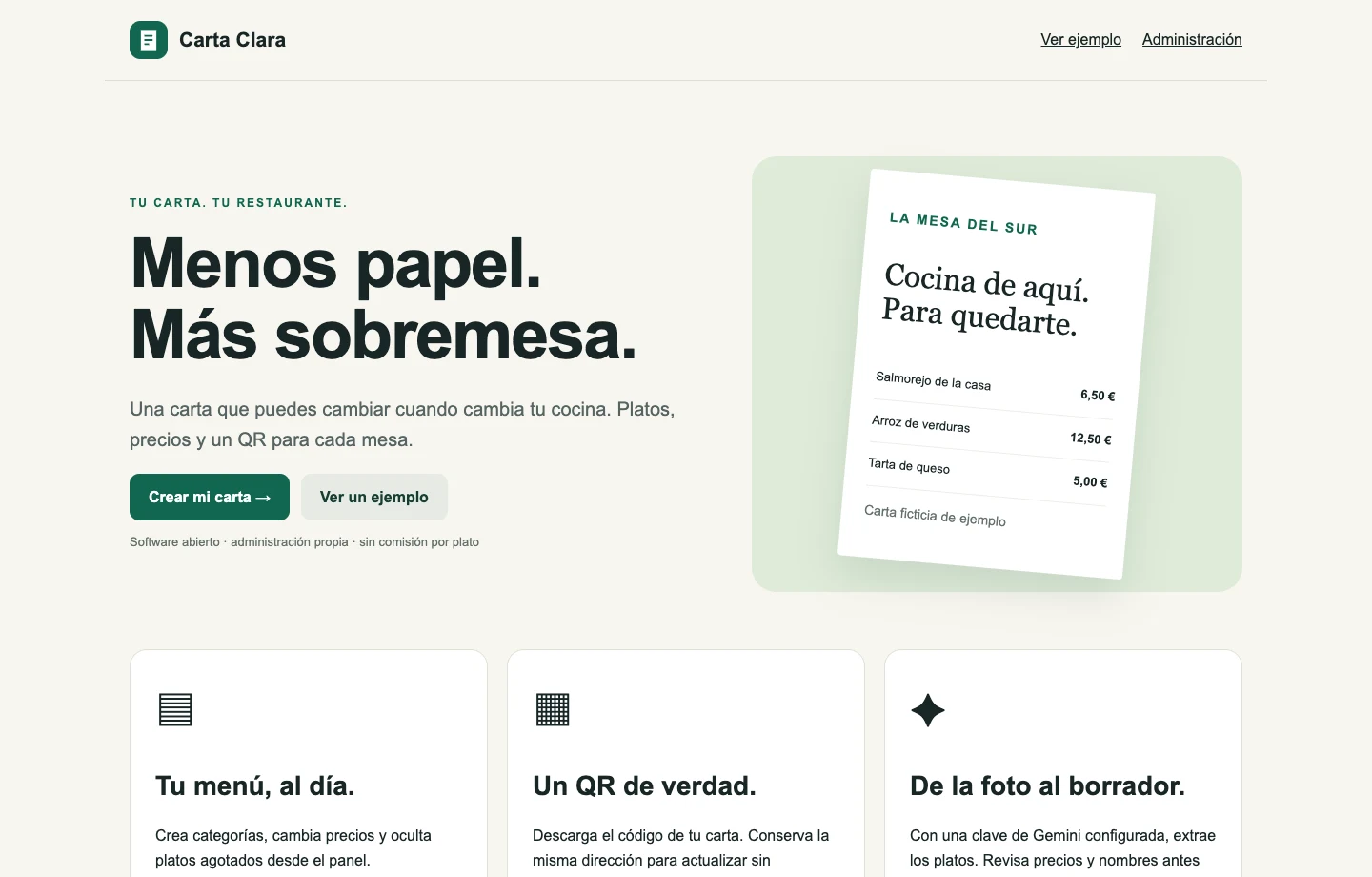
Carta Clara: carta QR, administración y lectura de fotos con Gemini
Una carta QR con panel por restaurante y lectura de fotos mediante Gemini. Código abierto, edición manual y revisión antes de incorporar platos.
aprende a integrar Azure OpenAI en aplicaciones .NET con Semantic Kernel y Azure.AI.OpenAI: configuración, credenciales seguras, DI, streaming, rate limiting, retries, monitoreo y caché.
Azure OpenAI Service proporciona acceso a modelos avanzados de IA como GPT-4 a través de APIs REST. En este tutorial aprenderás a integrar Azure OpenAI en aplicaciones .NET de forma segura y escalable.
En el portal de Azure, necesitas:
Endpoint: https://tu-recurso.openai.azure.com/
API Key: tu-clave-api
Deployment Names:
  - gpt-4
  - gpt-35-turbo
- text-embedding-ada-002dotnet add package Azure.AI.OpenAI
dotnet add package Microsoft.SemanticKernel
dotnet add package Microsoft.Extensions.Configuration
dotnet add package Microsoft.Extensions.Configuration.UserSecretsdotnet user-secrets init
dotnet user-secrets set "AzureOpenAI:Endpoint" "https://tu-recurso.openai.azure.com/"
dotnet user-secrets set "AzureOpenAI:ApiKey" "tu-clave-api"
dotnet user-secrets set "AzureOpenAI:ChatDeployment" "gpt-4"
dotnet user-secrets set "AzureOpenAI:EmbeddingDeployment" "text-embedding-ada-002"{
"AzureOpenAI": {
"Endpoint": "",
"ApiKey": "",
"ChatDeployment": "gpt-4",
"EmbeddingDeployment": "text-embedding-ada-002",
"MaxRetries": 3,
"TimeoutSeconds": 120
}
}public class AzureOpenAIOptions
{
public const string SectionName = "AzureOpenAI";
public required string Endpoint { get; set; }
public required string ApiKey { get; set; }
public required string ChatDeployment { get; set; }
public required string EmbeddingDeployment { get; set; }
public int MaxRetries { get; set; } = 3;
public int TimeoutSeconds { get; set; } = 120;
}using Microsoft.Extensions.DependencyInjection;
using Microsoft.Extensions.Configuration;
using Microsoft.SemanticKernel;
var builder = WebApplication.CreateBuilder(args);
// Configurar opciones
builder.Services.Configure<AzureOpenAIOptions>(
builder.Configuration.GetSection(AzureOpenAIOptions.SectionName));
// Registrar HttpClient configurado
builder.Services.AddHttpClient("AzureOpenAI", (serviceProvider, client) =>
{
var options = serviceProvider
.GetRequiredService<IOptions<AzureOpenAIOptions>>()
.Value;
client.Timeout = TimeSpan.FromSeconds(options.TimeoutSeconds);
});
// Registrar Semantic Kernel
builder.Services.AddScoped<Kernel>(serviceProvider =>
{
var options = serviceProvider
.GetRequiredService<IOptions<AzureOpenAIOptions>>()
.Value;
var httpClientFactory = serviceProvider
.GetRequiredService<IHttpClientFactory>();
var httpClient = httpClientFactory.CreateClient("AzureOpenAI");
var kernelBuilder = Kernel.CreateBuilder();
kernelBuilder.AddAzureOpenAIChatCompletion(
deploymentName: options.ChatDeployment,
endpoint: options.Endpoint,
apiKey: options.ApiKey,
httpClient: httpClient);
kernelBuilder.AddAzureOpenAITextEmbeddingGeneration(
deploymentName: options.EmbeddingDeployment,
endpoint: options.Endpoint,
apiKey: options.ApiKey,
httpClient: httpClient);
return kernelBuilder.Build();
});
var app = builder.Build();using Azure;
using Azure.AI.OpenAI;
public class AzureOpenAIClient
{
private readonly OpenAIClient _client;
private readonly string _chatDeployment;
private readonly string _embeddingDeployment;
private readonly ILogger<AzureOpenAIClient> _logger;
public AzureOpenAIClient(
IOptions<AzureOpenAIOptions> options,
ILogger<AzureOpenAIClient> logger)
{
var config = options.Value;
_client = new OpenAIClient(
new Uri(config.Endpoint),
new AzureKeyCredential(config.ApiKey));
_chatDeployment = config.ChatDeployment;
_embeddingDeployment = config.EmbeddingDeployment;
_logger = logger;
}
public async Task<string> GetChatCompletionAsync(
string prompt,
CancellationToken cancellationToken = default)
{
var chatOptions = new ChatCompletionsOptions
{
DeploymentName = _chatDeployment,
Messages =
{
new ChatRequestSystemMessage("Eres un asistente útil."),
new ChatRequestUserMessage(prompt)
},
Temperature = 0.7f,
MaxTokens = 800,
NucleusSamplingFactor = 0.9f
};
try
{
var response = await _client.GetChatCompletionsAsync(
chatOptions,
cancellationToken);
var choice = response.Value.Choices.FirstOrDefault();
if (choice == null)
{
_logger.LogWarning("No se recibieron respuestas del modelo");
return string.Empty;
}
_logger.LogInformation(
"Chat completion generado. Tokens: {PromptTokens} prompt, {CompletionTokens} completion",
response.Value.Usage.PromptTokens,
response.Value.Usage.CompletionTokens);
return choice.Message.Content;
}
catch (RequestFailedException ex)
{
_logger.LogError(ex, "Error llamando a Azure OpenAI");
throw;
}
}
public async Task<float[]> GetEmbeddingAsync(
string text,
CancellationToken cancellationToken = default)
{
var embeddingsOptions = new EmbeddingsOptions(
_embeddingDeployment,
new List<string> { text });
try
{
var response = await _client.GetEmbeddingsAsync(
embeddingsOptions,
cancellationToken);
return response.Value.Data[0].Embedding.ToArray();
}
catch (RequestFailedException ex)
{
_logger.LogError(ex, "Error generando embedding");
throw;
}
}
}public async IAsyncEnumerable<string> GetChatCompletionStreamAsync(
string prompt,
[EnumeratorCancellation] CancellationToken cancellationToken = default)
{
var chatOptions = new ChatCompletionsOptions
{
DeploymentName = _chatDeployment,
Messages =
{
new ChatRequestSystemMessage("Eres un asistente útil."),
new ChatRequestUserMessage(prompt)
}
};
var response = await _client.GetChatCompletionsStreamingAsync(
chatOptions,
cancellationToken);
await foreach (var update in response.WithCancellation(cancellationToken))
{
if (update.ContentUpdate != null)
{
yield return update.ContentUpdate;
}
}
}using Polly;
using Polly.RateLimit;
public class RateLimitedAzureOpenAIClient
{
private readonly AzureOpenAIClient _client;
private readonly AsyncRateLimitPolicy _rateLimitPolicy;
public RateLimitedAzureOpenAIClient(AzureOpenAIClient client)
{
_client = client;
// Limitar a 60 llamadas por minuto
_rateLimitPolicy = Policy.RateLimitAsync(
numberOfExecutions: 60,
perTimeSpan: TimeSpan.FromMinutes(1),
maxBurst: 10);
}
public async Task<string> GetChatCompletionAsync(
string prompt,
CancellationToken cancellationToken = default)
{
return await _rateLimitPolicy.ExecuteAsync(
async ct => await _client.GetChatCompletionAsync(prompt, ct),
cancellationToken);
}
}using Polly;
using Polly.Retry;
public class ResilientAzureOpenAIClient
{
private readonly AzureOpenAIClient _client;
private readonly AsyncRetryPolicy _retryPolicy;
private readonly ILogger<ResilientAzureOpenAIClient> _logger;
public ResilientAzureOpenAIClient(
AzureOpenAIClient client,
ILogger<ResilientAzureOpenAIClient> logger)
{
_client = client;
_logger = logger;
_retryPolicy = Policy
.Handle<RequestFailedException>(ex =>
ex.Status == 429 || // Too Many Requests
ex.Status == 503 || // Service Unavailable
ex.Status == 504) // Gateway Timeout
.WaitAndRetryAsync(
retryCount: 3,
sleepDurationProvider: attempt => TimeSpan.FromSeconds(Math.Pow(2, attempt)),
onRetry: (exception, timeSpan, retryCount, context) =>
{
_logger.LogWarning(
"Intento {RetryCount} después de {Delay}s debido a: {Error}",
retryCount,
timeSpan.TotalSeconds,
exception.Message);
});
}
public async Task<string> GetChatCompletionAsync(
string prompt,
CancellationToken cancellationToken = default)
{
return await _retryPolicy.ExecuteAsync(
async ct => await _client.GetChatCompletionAsync(prompt, ct),
cancellationToken);
}
}using Microsoft.ApplicationInsights;
using Microsoft.ApplicationInsights.DataContracts;
public class MonitoredAzureOpenAIClient
{
private readonly AzureOpenAIClient _client;
private readonly TelemetryClient _telemetryClient;
public MonitoredAzureOpenAIClient(
AzureOpenAIClient client,
TelemetryClient telemetryClient)
{
_client = client;
_telemetryClient = telemetryClient;
}
public async Task<string> GetChatCompletionAsync(
string prompt,
CancellationToken cancellationToken = default)
{
var operation = _telemetryClient.StartOperation<DependencyTelemetry>("AzureOpenAI.ChatCompletion");
operation.Telemetry.Type = "HTTP";
operation.Telemetry.Target = "Azure OpenAI";
var stopwatch = Stopwatch.StartNew();
try
{
var result = await _client.GetChatCompletionAsync(prompt, cancellationToken);
stopwatch.Stop();
operation.Telemetry.Success = true;
operation.Telemetry.Duration = stopwatch.Elapsed;
_telemetryClient.TrackMetric("AzureOpenAI.PromptLength", prompt.Length);
_telemetryClient.TrackMetric("AzureOpenAI.ResponseLength", result.Length);
_telemetryClient.TrackMetric("AzureOpenAI.LatencyMs", stopwatch.ElapsedMilliseconds);
return result;
}
catch (Exception ex)
{
stopwatch.Stop();
operation.Telemetry.Success = false;
operation.Telemetry.Duration = stopwatch.Elapsed;
_telemetryClient.TrackException(ex, new Dictionary<string, string>
{
["PromptLength"] = prompt.Length.ToString(),
["Operation"] = "ChatCompletion"
});
throw;
}
finally
{
_telemetryClient.StopOperation(operation);
}
}
}using Microsoft.Extensions.Caching.Memory;
using System.Security.Cryptography;
using System.Text;
public class CachedAzureOpenAIClient
{
private readonly AzureOpenAIClient _client;
private readonly IMemoryCache _cache;
private readonly ILogger<CachedAzureOpenAIClient> _logger;
private readonly TimeSpan _cacheDuration;
public CachedAzureOpenAIClient(
AzureOpenAIClient client,
IMemoryCache cache,
ILogger<CachedAzureOpenAIClient> logger,
TimeSpan? cacheDuration = null)
{
_client = client;
_cache = cache;
_logger = logger;
_cacheDuration = cacheDuration ?? TimeSpan.FromHours(1);
}
public async Task<string> GetChatCompletionAsync(
string prompt,
bool useCache = true,
CancellationToken cancellationToken = default)
{
if (!useCache)
{
return await _client.GetChatCompletionAsync(prompt, cancellationToken);
}
var cacheKey = GenerateCacheKey(prompt);
if (_cache.TryGetValue<string>(cacheKey, out var cachedResult))
{
_logger.LogInformation("Cache HIT para prompt: {PromptHash}", cacheKey);
return cachedResult;
}
_logger.LogInformation("Cache MISS para prompt: {PromptHash}", cacheKey);
var result = await _client.GetChatCompletionAsync(prompt, cancellationToken);
_cache.Set(cacheKey, result, _cacheDuration);
return result;
}
private string GenerateCacheKey(string prompt)
{
using var sha256 = SHA256.Create();
var hashBytes = sha256.ComputeHash(Encoding.UTF8.GetBytes(prompt));
return $"aoai_{BitConverter.ToString(hashBytes).Replace("-", "").Substring(0, 16).ToLowerInvariant()}";
}
}using Moq;
using Xunit;
public class AzureOpenAIClientTests
{
[Fact]
public async Task GetChatCompletionAsync_ReturnsResponse()
{
// Arrange
var mockOptions = new Mock<IOptions<AzureOpenAIOptions>>();
mockOptions.Setup(o => o.Value).Returns(new AzureOpenAIOptions
{
Endpoint = "https://test.openai.azure.com/",
ApiKey = "test-key",
ChatDeployment = "gpt-4",
EmbeddingDeployment = "embedding"
});
var mockLogger = new Mock<ILogger<AzureOpenAIClient>>();
var client = new AzureOpenAIClient(mockOptions.Object, mockLogger.Object);
// Act & Assert se requiere configuración adicional con cliente real o mock
// En tests de integración usarías el cliente real
}
}[Collection("AzureOpenAI")]
public class AzureOpenAIIntegrationTests
{
private readonly AzureOpenAIClient _client;
public AzureOpenAIIntegrationTests()
{
var configuration = new ConfigurationBuilder()
.AddUserSecrets<AzureOpenAIIntegrationTests>()
.Build();
var options = Options.Create(new AzureOpenAIOptions
{
Endpoint = configuration["AzureOpenAI:Endpoint"]!,
ApiKey = configuration["AzureOpenAI:ApiKey"]!,
ChatDeployment = configuration["AzureOpenAI:ChatDeployment"]!,
EmbeddingDeployment = configuration["AzureOpenAI:EmbeddingDeployment"]!
});
var logger = NullLogger<AzureOpenAIClient>.Instance;
_client = new AzureOpenAIClient(options, logger);
}
[Fact]
public async Task GetChatCompletionAsync_WithSimplePrompt_ReturnsResponse()
{
// Arrange
var prompt = "¿Cuál es la capital de España?";
// Act
var result = await _client.GetChatCompletionAsync(prompt);
// Assert
Assert.NotNull(result);
Assert.NotEmpty(result);
Assert.Contains("Madrid", result, StringComparison.OrdinalIgnoreCase);
}
[Fact]
public async Task GetEmbeddingAsync_WithText_ReturnsVector()
{
// Arrange
var text = "Este es un texto de prueba";
// Act
var embedding = await _client.GetEmbeddingAsync(text);
// Assert
Assert.NotNull(embedding);
Assert.True(embedding.Length > 0);
Assert.Equal(1536, embedding.Length); // text-embedding-ada-002 dimension
}
}// ✅ Usar variables de entorno o Azure Key Vault
var apiKey = Environment.GetEnvironmentVariable("AZURE_OPENAI_KEY");
// ❌ Nunca hardcodear credenciales
// var apiKey = "sk-...";var httpClient = new HttpClient
{
Timeout = TimeSpan.FromSeconds(120) // 2 minutos para operaciones de IA
};_logger.LogInformation(
"Azure OpenAI request: Model={Model}, PromptTokens={PromptTokens}, CompletionTokens={CompletionTokens}",
deployment,
promptTokens,
completionTokens);public class CostTrackingClient
{
private long _totalPromptTokens;
private long _totalCompletionTokens;
public void TrackUsage(int promptTokens, int completionTokens)
{
Interlocked.Add(ref _totalPromptTokens, promptTokens);
Interlocked.Add(ref _totalCompletionTokens, completionTokens);
_logger.LogInformation(
"Total tokens: {TotalPromptTokens} prompt, {TotalCompletionTokens} completion",
_totalPromptTokens,
_totalCompletionTokens);
}
}Integrar Azure OpenAI en aplicaciones .NET requiere atención a seguridad, resiliencia y monitoreo. Usa dependency injection, maneja errores apropiadamente, implementa rate limiting y caché cuando sea apropiado. El resultado será una integración robusta y lista para producción.
Palabras clave: Azure OpenAI, .NET integration, GPT-4, secure API, rate limiting, resilience, caching, monitoring
Una carta QR con panel por restaurante y lectura de fotos mediante Gemini. Código abierto, edición manual y revisión antes de incorporar platos.

Luca Cantón ha creado LO-E, un hub donde convierte las ideas de videojuegos que le van pasando por la cabeza en siete mundos jugables desde el navegador.
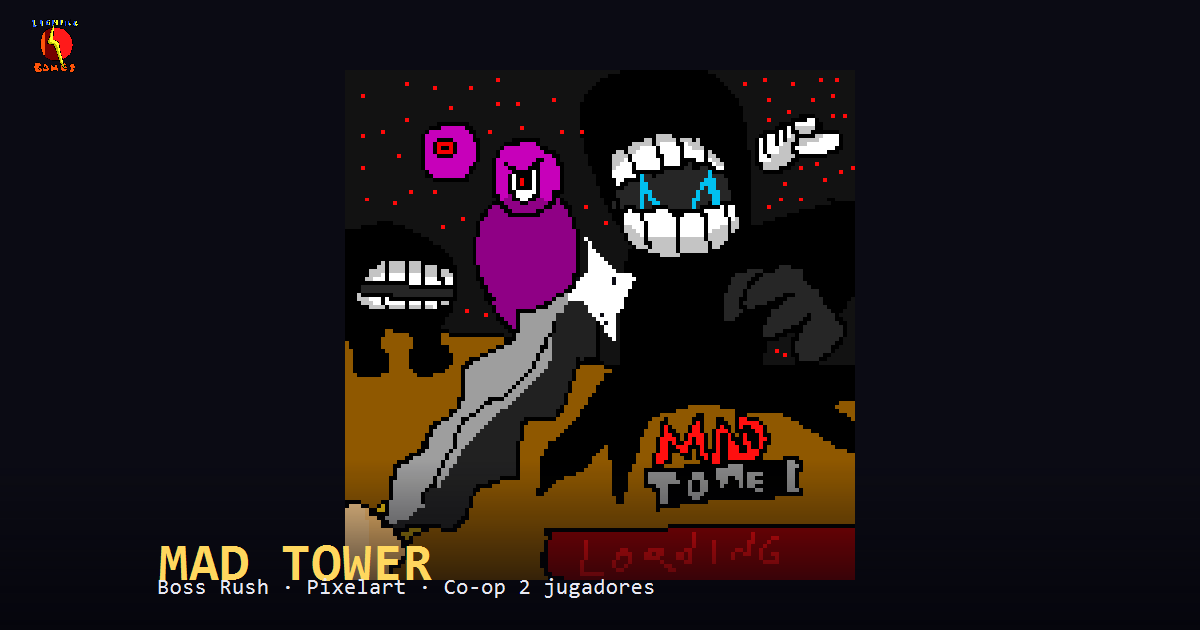
Leo Cantón tiene 14 años y ha convertido el videojuego que llevaba años diseñando en papel en MAD TOWER, un boss rush 2D creado con ayuda de la IA.